
 How the number is made
The engine adds up every logged and collected trigger and early sign from the last seven days. Each one carries a weight, High, Mild or Low, and a fade: a trigger from this morning counts much more than one from six days ago. The sum is your load, shown against your own three lines, which start at sensible defaults and are tuned at the end of setup from what you told the app. It is additive arithmetic on your own entries, not a probability and not a model that guesses.
 Seven days, past and ahead
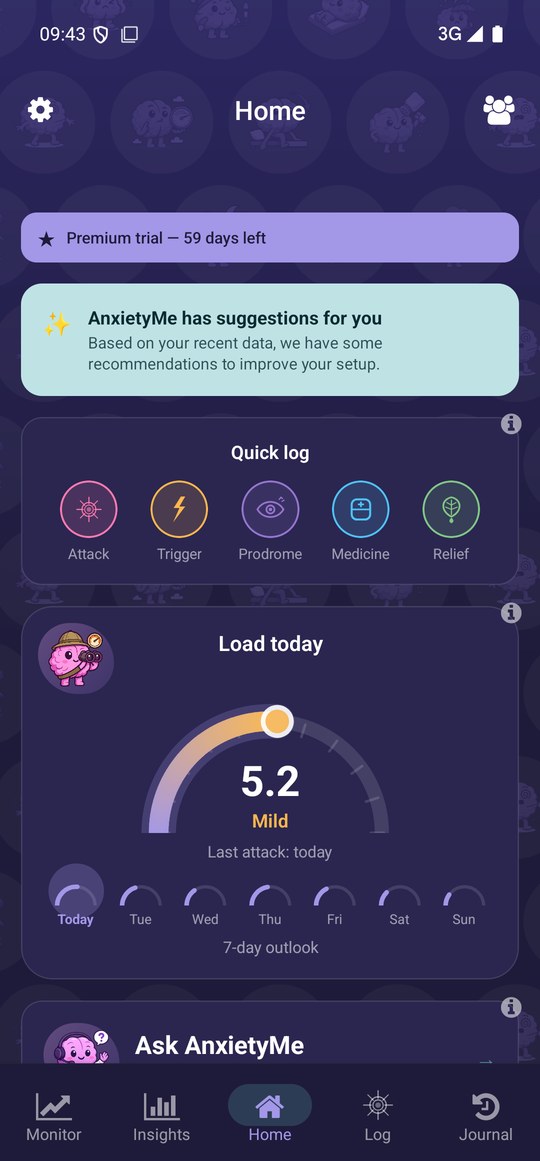
The strip under the dial shows the week. Each day's load is the same bucket read for that day, using what is already collected and logged. A day ahead can only show what is already in the bucket and how it fades, which is why the app calls it an outlook and not a prediction. Days beyond today are part of Premium; today is free.
 Why it is deliberately quiet
Waiting for the next attack is itself a large part of panic disorder, so the app never sends a notification about your load unless you switch one on yourself, and the zone words are plain: Negligible, Low, Mild, High. The card is there when you open the app, and Customize home removes it in one tap for anyone who would rather read the patterns in Insights instead.
Tuning it
Load Model under Settings holds your three threshold lines and the fade curve, both editable. Manage Items holds every trigger and early sign with its weight, so you can switch off anything that is noise for you. Once a week the app proposes adjustments from what actually went with your attacks, and you accept or reject each one.
Where it lives in the app
Load today on Home: the dial, the zone word, days since your last attack and the 7-day strip. Tap the dial for the Load detail screen with every contributor, and the arrow at the top for the 14-day history. Load Model is in the Settings drawer. Customize home at the bottom of Home switches the card off.
What it needs from you
Nothing beyond what you log and what is collected. Today's load is free; the days ahead on the strip are part of Premium. No notification about it is sent unless you switch the load alert on under Notifications and pick a level.